
Blog Detail
How to Check if I Have Been Hacked? Easy Guidelines for Online Safety
If you’re worried about the security of your online accounts, knowing how to check if you have been hacked is crucial. Whether on our phones, laptops, or tablets, most of us are always online in the digital world of today. But have you ever considered whether someone is secretly monitoring you or altering your accounts without your knowledge?
That’s exactly what hacking is!
Imagine waking up one day and discovering your passwords stolen, your internet accounts hacked, or worse—someone abusing your personal information to start problems. Sounds frightening, right?
Don’t worry! This blog post “How to Check if I Have Been Hacked” will lead you through basic and straightforward actions on how to find out whether you have been hacked and what to do about it. Let’s investigate to see whether someone has been messing about with your accounts!
What does a hack mean?
Someone hacks you when they have discovered a mechanism to access your online accounts without your knowledge. This might be your email, bank records, or even your social media profiles. Hackers could cause all kinds of difficulty, spy on your actions, or steal your data.
More often than you might expect, hacking occurs. Actually, every 39 seconds there is a hacker assault on average. Knowing whether you have been hacked will therefore help you to act fast.
Finding Out Whether How to Check if I Have Been Hacked.
Should you believe you have been hacked, these simple indicators should help you spot it.
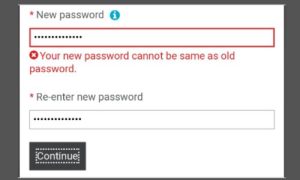
1. Your current password is useless.
Someone might have changed your password if you unexpectedly cannot enter into your account or if it does not function. Usually changing your password locks you out of your own account, so they may use it for themselves.
Source: Reddit
What To-Do
You can add your account’s two-factor authentication mode and try to change your password.
In the event that doesn’t work, contact the organization’s support staff.
2. Odd Posts or Messages on Your Social Media
Have friends or relatives reported to you strange posts or messages they have gotten from your social media? Perhaps your account began posting items you never wrote or including links to people you don’t know. This is really indicative of hacking!
What To-Do
Right now, change your password.
Tell your friends not to click on any links you send them.
Review your security settings and turn on two-factor authentication—more on that later.
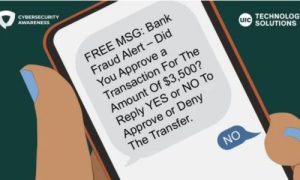
3. Unknown Purchase or Bank Transaction
Stealing money is one of the most often used motives behind hackers attacking individuals. Unusual purchases on your credit card or bank account that you did not make could indicate a vulnerability in your financial information.
Source: UIC Today
What to do
Get in touch immediately with your credit card or bank.
To stop more purchases, freeze or cancel your card.
Track any bogus transactions.
4. slow device performance
Does your tablet, phone, or computer feel slower than it should? Sometimes malware—that is, harmful software—can quietly slow down your gadget. Your gadget may be infected by a virus if it starts malfunctioning out of nowhere without any obvious cause.
What To-Do
Using your antivirus program, run a virus search.
Delete any unidentified apps or programs.
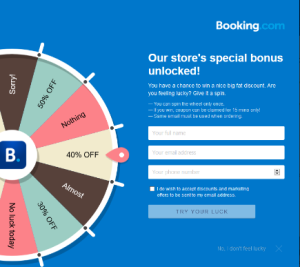
5. Pop-up advertising everywhere
Although pop-up adverts are irritating, suddenly seeing a lot of them, especially ones that seem suspicious, may indicate that your device has been compromised with adware or malware. These advertisements can be attempting to fool you into downloading dangerous programs or stealing sensitive data.
What To-Do
How can I avoid clicking on any suspicious advertisements?
To get any malware out of your device, do a complete scan.
6. Your email login fails.
Among the most valuable items hackers can access is your email. Your email might have been hacked if you cannot log into it or notice any unusual activity there—such as sending messages you did not write.
What To-Do
Change your password, then turn on two-factor authentication.
Go through your sent box looking for any strange emails.
Ask the email provider.
7. Unknown Browser Toolbar or Extension
Have you observed any fresh toolbars or extensions in your browser that you did not install? These could be part of a hacking effort, in which harmful software tracks your activity or steals your data by means of a dangerous program added to your browser.
What To-Do
Delete any toolbars or extensions you miss out on from installation.
Run a virus search and review your browser settings.
8. Ransomware Demand
Among the most alarming indicators of your hacking is this one. One kind of malware called ransomware locks your files and requires payment to release them. If you find a note instructing you to pay money to retrieve your files, it indicates a clear hack on your computer.
What To-Do
Do NOT pay the ransom.
Make an effort to back up your important files if at all possible.
Get advice from a qualified cybersecurity specialist.
9. Odd Behavior on Your Online Accounts
Sometimes hackers try to exploit your accounts for activities like spam emails or purchases, not only stealing information. Your account may be compromised if you come across activity not on your account (such as new posts, odd transactions, or messages you missed).
What To-Do
For every account that has been impacted, change your passwords.
For further security, turn on two-factor authentication.
10. Surprising Search Engine Redirection
Your browser may have been compromised if you are looking for something on the internet and find yourself on odd or doubtful websites. Install malware on your device and this could occur.
What To-Do
Turn your browser settings back to default.
Run a malware scan looking for dangerous programs.
Strategies for Preventing Hacker Attacks
Knowing how to find out whether you have been hacked, let’s discuss future personal protection techniques. These are some basic ideas:
Choose strong passwords.
Never choose simple passwords like “password” or “123456.” Combining numbers, letters, and special characters is quite important. Don’t use the same password for every one of your accounts either. Use a password manager if you find you have difficulty remembering your passwords.
Turn on two-factor authentication (2FA).
Two-factor authentication lends still another degree of security. Apart from your usual password, you will have to input a secret code issued to your phone or email when logging into an account. Hackers will thus find it considerably more difficult to access your accounts.
Maintain Update of Your Software
Updates are vital, not just bothersome! Software repairs security flaws and faults hackers could use to access your device. Upon a notification, always update your phone, computer, and apps.
Install an antivirus program.
Software designed to fight viruses and malware can help guard your device. Install and routinely update an antivirus program on your phone and computer to identify possible hazards before they do damage.
Watch What You Click On
Click on suspicious URLs or download attachments from unidentified persons carefully. These could cause phishing frauds or carry malware.
Final Thought
A basic ability is knowing How to Check if I Have Been Hacked. You can guard your personal data from hackers and avoid the risk by spotting the warning signals, applying robust security measures, and being wary.
If you see any of the indicators we discussed, don’t start to panic! Start immediately to resolve the issue and guard your online accounts. So you can easily find How to Check if I Have Been Hacked.
Remember: “Prevention is usually better than cure, and keep safe online.”